22 For shelves, boxes and everything between.
Create up to 50 barcodes at once.
Generate up to 50 validated logistics barcodes, preview the real page layout and download images or a printable label PDF.
CODE TOOL
One list in, a tidy label run out.
The quiet zone and contrast are protected for reliable scanning. Always test a printed label with the scanner used on site.
A LITTLE MORE DETAIL
A batch barcode run you can inspect before printing.
Paste values, edit a small table or import the first CSV column. The page preview keeps the same code order, page ratio and grid as the downloaded label PDF.
See an input and its finished result.
Three shelf IDs into Code 128 labels
These are fictional internal inventory IDs. Enter one value per line and choose Code 128 to make a separate barcode like each result shown here.
Try the example in the tool aboveSHELF-A01
SHELF-A02
SHELF-A03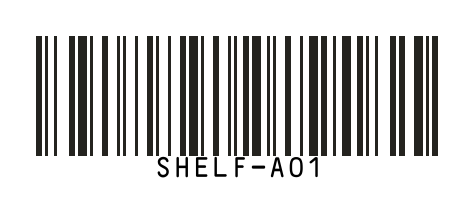
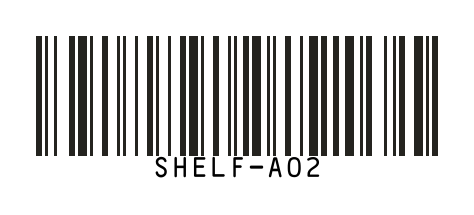
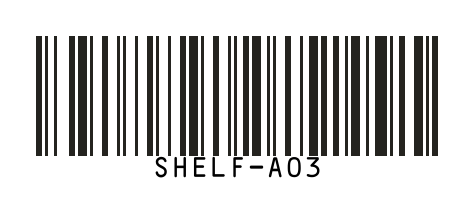
Code 128 · show values · A4 · pack once
Each SVG was made by the actual barcode encoder. These examples do not issue retail product numbers or GS1 identifiers.
From spreadsheet to printed labels
- Copy just the code column from Excel, or import a CSV. The first column is used and common code header rows are skipped. Keep values as text in the source sheet if leading zeros matter.
- Code 128 can encode alphanumeric internal inventory IDs. Select EAN, UPC or GS1 only after checking the required format and your authorized identifiers.
- A4 uses a 2-column × 8-row grid for up to 16 labels per page. Use repeat or per-code quantities for multiple copies. This grid is not guaranteed to match a particular pre-cut label sheet.
- Print the label PDF at 100% scale without cropping its quiet zones. Test one printed label with your actual printer and scanner before running a batch.
Useful for
- Create shelf, bin and carton labels for a warehouse.
- Turn a spreadsheet list into up to 50 barcode images at once.
- Preview A4 or thermal label pages before printing a PDF.
How it works
- 01
Choose a barcode format and enter up to 50 values.
- 02
Generate the codes and inspect the individual previews.
- 03
Arrange the print quantities, preview each page and download images or a label PDF.
Questions, answered.
Can I make 50 barcodes at once?
Yes. Enter one value per line or import the first column of a CSV, up to 50 final codes.
Which barcode formats can I create?
You can create Code 128, EAN-13, UPC-A, ITF-14, GS1-128 and GS1 DataMatrix codes. The tool validates each value for the selected format.
Does this issue GS1 numbers?
No. GS1 identifiers must use a Company Prefix licensed to your organization.
Can I put several barcodes on one A4 page?
Yes. The A4 layout places up to 16 labels per page and shows the actual page arrangement before download.